
FULL HANDBOOK
Chapter 1: Industry Overview
Chapter 2: Geology & Site Selection
Chapter 3: Drilling & Blasting
Chapter 4: Excavating & Loading
Chapter 5: Hauling
Chapter 6: Crushing & Hydraulic Breaking
Chapter 7: Screening
Chapter 8: Washing & Classifying
Chapter 9: Conveying & Material Handling
Chapter 10: Loadout & Weighing
Chapter 11: Safety & Health
Operational Challenges
Even the best-designed screens and carefully selected media face day-to-day challenges that affect efficiency and product quality. These issues can originate from material characteristics, equipment setup or external conditions such as weather.
Addressing them quickly and thoroughly is essential to keep screening performance on target.
Plugging
One of the most common screening problems is plugging, which happens when near-size particles wedge themselves into screen openings. As these particles build up, they block open area and reduce the amount of material that can pass through the deck.
Several adjustments can help relieve the issue. Increasing the stroke of the screen often shakes loose the trapped material, while changing the shape of the opening or switching to a different type of media can reduce the tendency for particles to lodge.
In some cases, adjusting the crusher setting upstream to alter the size distribution of the feed helps prevent near-size material from overwhelming the screen. Selecting media better suited to the application is often the most effective long-term solution.
Blinding
Another frequent screening challenge is blinding, which develops when fine particles adhere to the screen surface. Moisture is often the culprit, causing a sticky layer that gradually covers the open area and restricts material flow.
Blinding can be more difficult to manage than plugging, but several strategies are available. Increasing the screen’s speed or adjusting the stroke may help dislodge stuck particles.
In some applications, switching to a different type of media reduces the tendency for fines to cling to the surface. Heated decks can also prevent buildup, while in other cases the addition of water helps wash material through the openings.
Carryover and contamination
Carryover happens when undersized particles fail to pass through and ride over the deck into the oversize pile. Contamination occurs when fines or smaller particles fall through openings into a larger product pile. Both result in off-spec material, rejected loads and expensive rescreening.
The root causes are varied: pegged or blinded openings, improper media selection, overloaded decks or poor stratification due to inadequate stroke or speed. Consistently reviewing gradation results and stockpile quality helps identify these problems early.
For instance, if a #57 stone pile begins to show excessive fines, blinding on the second deck may be the culprit.
PRO TIP
Center the feed: Ensure material is distributed evenly across the first 6 to 8 in. of deck width to maximize stratification and reduce premature wear.
&uuid=(email))
Environmental conditions
Weather and moisture content in the feed can dramatically affect screening.
High humidity or rain increases blinding, while clay-rich deposits smear across openings and seal them shut. Freezing conditions can immobilize screens altogether if ice builds on decks. Conversely, extremely dry conditions may increase dust, leading to premature wear on bearings and seals.
Operators often adapt seasonally. Winter may call for heated decks, while rainy months may require additional wash sprays or self-cleaning panels. In hot, dusty regions, preventive lubrication schedules may be accelerated to protect exciters and bearings.
Feed presentation and deck loading
A well-designed feed system is critical to screening efficiency.
Material should be spread evenly across the full width of the deck as it enters the screen. When feed is concentrated on one side, stratification suffers, open area is wasted and wear becomes uneven.
The first few feet of deck length are especially important. If material is not spread uniformly within this zone, fines may be trapped in thicker layers and ride across the screen without ever contacting the openings. A properly designed feedbox or distributor ensures consistent loading and maximizes throughput.
Root cause troubleshooting
One of the simplest diagnostic tools is the “boneyard” of discarded panels. Examining worn-out media reveals a great deal about operational challenges:
- Broken wires usually point to excessive impact at the feed end
- Polished wear spots signal abrasive material
- Pegged openings suggest a mismatch in hole shape or media type
- Blinded panels indicate moisture or clay problems
By matching symptoms with causes, operators can take corrective action. For instance, if pegging is consistently observed on a second deck, switching to high-vibration wire or altering stroke length may resolve the issue.
Costs and consequences
Every operational challenge carries a cost.
Plugging and blinding lower capacity and force the plant to rescreen material. Carryover contaminates stockpiles, leading to rejected loads or discounted sales. Off-spec product may even trigger customer complaints or lost contracts.
Beyond lost revenue, frequent downtime for cleaning or panel changeouts increases labor costs and exposes crews to safety risks.
A proactive approach is always less expensive than reacting to failures. Routine inspections, vibration analysis and timely media replacement keep small issues from turning into costly shutdowns. Operators who consistently monitor screening performance not only maintain product quality but also extend the life of their machines.
Optimization & Performance
Screen performance is measured by three primary outcomes: throughput, stratification quality and separation accuracy. To maximize these, operators must balance speed and stroke carefully.
Speed (rpm) increases material travel rate and carrying capacity but adds stress and shortens bearing life.
Stroke (throw) improves stratification and reduces plugging but can cause bouncing if too long.
The rule of thumb for bed depth is no more than four times the screen opening size at the discharge end. Exceeding this limit prevents fines from reaching the media and increases carryover.
Setup best practices
Screens should be level and run at their designed rpm. Stroke and g-force should match manufacturer recommendations (i.e., 3.5 to 4.5 g for inclined, 4.5 to 5.5 g for horizontal).
The feedbox must spread material evenly across the screen width, with uniform distribution across the first 6 to 8 in. of deck length to promote stratification.
Uneven loading accelerates wear, reduces efficiency and shortens screen life.
Vibration analysis
Vibration analysis provides valuable insight into screen performance.
Sensors can measure stroke, rpm, g-force, orbit and lateral movement. These readings reveal hidden issues such as cracked side plates, loose bolts or worn springs before failure occurs.
Predictive maintenance reduces unplanned downtime and allows operators to fine-tune settings for maximum throughput.
PRO TIP
Monitor vibration data proactively: Track rpm, orbit and g-force to identify loose bolts or weak springs before failure occurs.
Automation
Integrating screens into plant automation enhances consistency and efficiency.
Automated systems can track performance in real time, alerting operators to abnormal vibration patterns, speed drift or stroke irregularities. Some plants employ digital twin models, simulating performance to predict bottlenecks before they occur. Automation ensures screens run consistently, reducing variability from manual oversight.
Maintenance and seasonal care
Preventive maintenance is essential to keep screens reliable.
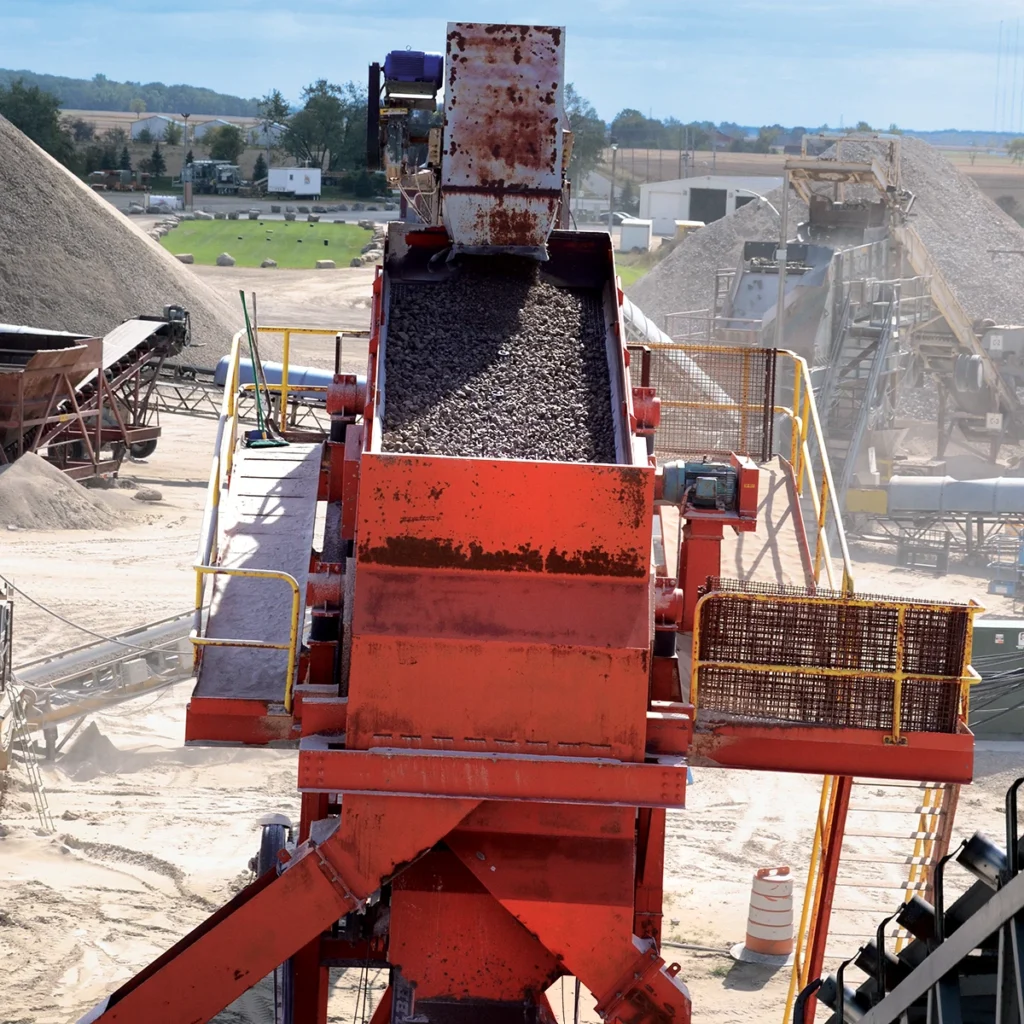
Daily inspections should include checks for cracked welds, loose bolts, worn crown bars, damaged springs and bent clamping rails. Exciters and shafts must be lubricated to manufacturer specifications, and any cracked side plates or weakened cross members should be repaired immediately.
Exciters and springs
Exciter drives can be direct-driven or belt-driven. Each type has unique maintenance needs, from belt inspections to oil-level checks.
Suspension springs should be checked regularly. A sagging or cracked spring not only shortens machine life but transfers harmful vibration into surrounding structures.
Seasonal considerations
Cold weather creates specific challenges.
Rubber and polyurethane become brittle, increasing the risk of cracking. Ice and snow create blinding, slow stratification and can freeze decks solid if not cleared. Heated decks and covers help keep material moving.
In hot or dusty climates, lubricants may dry out more quickly, and bearing checks should be more frequent. During rainy seasons, clay-rich feed may demand self-cleaning panels or more frequent wash sprays.
PRO TIP
Use heated decks during freezing weather: Prevent ice buildup that locks material to media and halts stratification.
Installation practices
During media changeout, proper installation ensures longevity.
Crown bar rubber should always be replaced. Panels should be tensioned evenly, with bolts tightened from center to outer edges, alternating sides. Loose or improperly seated media causes chatter, noise and early failure.
Screening Safety
Screening equipment does not always top the list of perceived hazards in an aggregate operation, but the risks it presents are real and varied.
Screens are positioned high in plants, involve heavy and sometimes sharp components, and generate continuous vibration and noise. These factors create hazards that require careful management.
In any hazard analysis, the objective should be to eliminate risks at the source, reduce them along the path or control them with protective equipment. Relying solely on personal protective equipment (PPE) is not sufficient, as PPE can fail if misused or neglected.
Consistent attention to safe practices is necessary to avoid incidents and maintain a safe working environment.
Lockout/tagout and energy control
Before any maintenance or inspection begins, lockout/tagout (LOTO) procedures are non-negotiable.
Screens should not simply be turned off – they must be fully deenergized and verified as motionless. Stored energy in hydraulic, pneumatic or mechanical systems can continue moving components minutes after shutdown. Unexpected starts during service have led to serious injuries and fatalities.
Every employee must be trained to assume a machine is unsafe until personally verified otherwise.
Media changeouts
Changing screen media is one of the most challenging and hazardous screening tasks.
Panels can weigh more than 100 lbs., and they are large and awkward to handle – especially when lifted to elevated decks. Workers may be required to stand on structural cross members and manipulate panels with sharp edges, increasing the likelihood of strains, sprains or lacerations.
Modular media systems reduce these risks by allowing only worn sections to be replaced, minimizing the need to handle full panels. Even with modular systems, mechanical lifting aids or team lifts should always be used to prevent back and shoulder injuries.
SAFETY TIP
Maintain three-point contact on elevated platforms: Never climb on structural members or unsupported areas during service.
Confined spaces
Hazards are not limited to the top deck.
Accessing middle or lower decks often forces workers into tight, restricted areas where awkward body positions increase the risk of musculoskeletal injuries. Limited mobility also complicates escape in the event of an emergency.
Maintenance tasks should be planned to minimize time spent in confined spaces, and proper fall protection must be used at elevated heights. LOTO must be verified before anyone enters a screen box or works beneath a deck.
Lifting and ergonomics
Beyond media changeouts, many screen components – clamp bars, cross members, side-tensioning hardware – are heavy and difficult to maneuver. Improper lifting techniques or rushed handling can result in crushed fingers, strained backs or dropped components.
Use mechanical hoists, lift-assist tools or team lifts as required. Always verify lifting points and secure loose parts before movement. Rotation of duties and ergonomically designed tools can also limit exposure to vibration and repetitive strain injuries.
Pinch points and falling material
Clamp rails and frames create pinch points during installation and tensioning.
Fingers can be caught between panels and rails if tensioning is rushed or tools slip. Material falling from upper decks during maintenance is another serious hazard – especially if screens are not fully locked out.
Strict LOTO procedures are mandatory whenever personnel are in or around screening equipment. Visual confirmation of motion stop should be standard practice.
Noise hazards
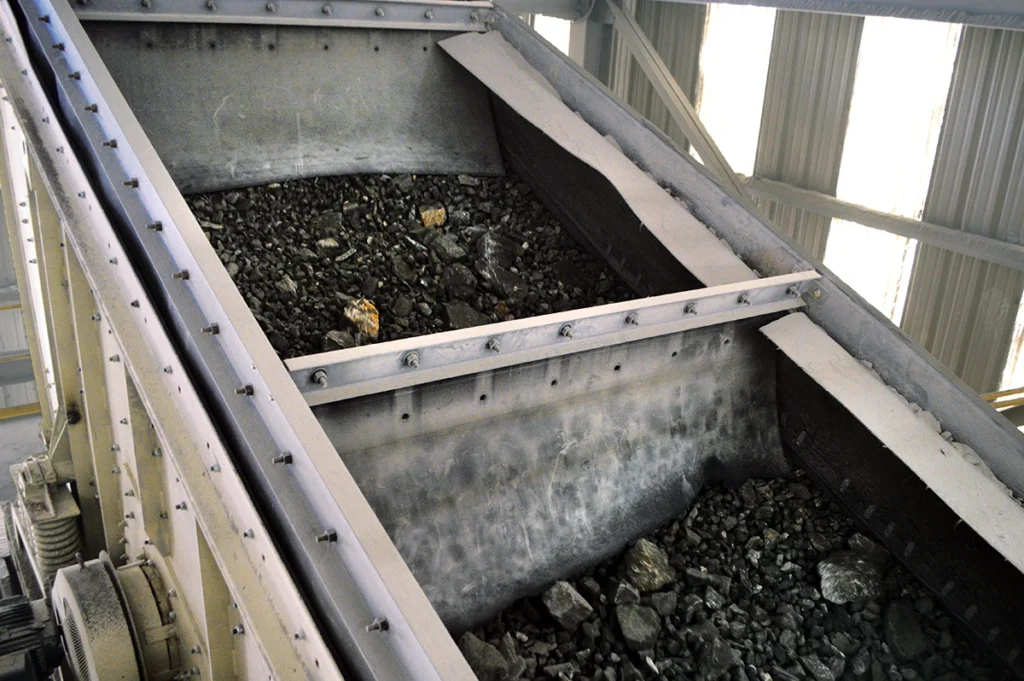
Steel screen boxes and media produce high noise levels – often well above safe exposure limits. Prolonged exposure can result in permanent hearing loss.
Hearing protection is mandatory whenever screens are in operation. Additional steps – such as installing synthetic liners – can help reduce noise at the source. Lower noise levels not only protect hearing but improve communication and may make it easier for operators to detect equipment issues such as squealing bearings or loose components.
SAFETY TIP
Wear hearing protection around operating screens: Prolonged exposure to vibrating steel components exceeds safe decibel levels.
Fire risks
Synthetic screen media introduces another hazard: fire potential.
Sparks from welding or cutting above the screen can fall onto synthetic panels, igniting them if they are not fire-retardant. Some materials self-extinguish quickly, while others may sustain combustion.
Best practices include shielding media with plywood or used conveyor belting during hot work and specifying fire-retardant media wherever possible.
Access and guarding
Screens are often elevated or enclosed, making safe access a critical concern.
Workers should use designated access platforms, ladders or scaffolding – and never climb directly on the screen or supporting structures.
Safe access platforms, handrails and protective guarding should be standard around every screen. PPE requirements include hard hats, gloves, safety glasses, face shields, steel-toed boots and fall protection when working at height.
Noise exposure makes hearing protection mandatory, and dust may require respiratory protection in certain conditions.
SAFETY TIP
Use fall protection in confined decks: Middle and lower deck access areas require harnesses due to restricted movement and escape routes.
&uuid=(email))
Following instructions and training
Every screen design has unique requirements for tensioning, installation and service. Ignoring manufacturer instructions shortens equipment life and creates unnecessary hazards.
Communication between operators and maintenance crews is vital. Workers should never assume a machine is safe to approach without confirmation. Proper training and adherence to safe work procedures ensure both worker safety and machine reliability. Regular refresher training reinforces expectations and reduces complacency.
Crushed rock isn’t the only hazard in a quarry – complacency is.
Summary
Screening hazards are diverse, ranging from ergonomic challenges and noise exposure to confined space risks and fire potential. Producers should integrate screens into routine hazard analyses, implement engineering controls such as modular media and synthetic liners and enforce administrative controls like training, inspections and safe work procedures.
PPE remains the last line of defense, but when combined with elimination, engineering and administrative strategies, it helps create a safer and more efficient workplace.
SOURCES
Deister Machine Company
deistermachine.com
Raymond Pietramale
Elgin Separation Solutions
elginseparationsolutions.com
Thiago Henrique Buoso
Haver & Boecker Niagara
haverniagara.com
Steve Fair
Haver & Boecker Niagara
haverniagara.com
Duncan High
Haver & Boecker Niagara
haverniagara.com
Wilm Schulz
Haver & Boecker Niagara
haverniagara.com
Lars Bräunling
Major
majorflexmat.com
Mark Krause
McLanahan Corp.
mclanahan.com
McLanahan Corp.
mclanahan.com
Alex Caruana
Polydeck
polydeck.com
Superior Industries
superior-ind.com
The Pit & Quarry University Handbook is an educational resource that offers comprehensive lessons covering the entire aggregate production process from start to finish, highlighting new technologies and enhanced procedures within each branch/category of the aggregates industry.
FULL HANDBOOK
Chapter 1: Industry Overview
Chapter 2: Geology & Site Selection
Chapter 3: Drilling & Blasting
Chapter 4: Excavating & Loading
Chapter 5: Hauling
Chapter 6: Crushing & Hydraulic Breaking
Chapter 7: Screening
Chapter 8: Washing & Classifying
Chapter 9: Conveying & Material Handling
Chapter 10: Loadout & Weighing
Chapter 11: Safety & Health